Why scrolling wins6 min read
Why App Blockers Don't Work, and What Does
App blockers don't work for most people because the block and the bypass are the same tap. Every blocker needs an escape hatch, you set the passcode yourself, and the version of you that wants out is more motivated than the version that set it up. Friction fails differently: there is nothing to disable, because the resistance lives in the scroll itself.
On this page (7 sections)
You have done this before. You installed something with a good rating, set a limit on Instagram, felt briefly virtuous, and eleven days later the app was gone from your phone and you could not remember deleting it.
That is not a personal failure. It is the predictable output of how these tools are designed. App blockers don't work for most people because of a structural problem that no amount of discipline fixes, and it is worth naming precisely.
Why app blockers don't work: the bypass is a feature
Consider what a blocker would have to be if it had no escape hatch. It would be software that can permanently deny you access to your own phone. Nobody should ship that, Google should not allow it, and you should not install it.
So every blocker ships an escape hatch, and then tries to make the hatch feel expensive:
- A passcode you set yourself, which you know.
- A random string to retype, which takes eleven seconds.
- A waiting period, which you start and then wait out while scrolling something else.
- A friend's approval, which works exactly as long as your friend is awake and not annoyed.
Each of these raises the price of quitting a little. None of them changes the category of the action. Quitting remains a single decision, made once, with a clear path to the outcome you want. Humans are extremely good at making that decision.
The two failure modes, in order
Almost every uninstall follows one of two paths.
The tap ignore path. The limit fires. A dialog appears. You tap it away without reading it, because you have seen it ninety times and it has never had anything new to say. This is habituation, and it is not a character flaw, it is how attention works. Once a prompt is predictable it stops being information.
The uninstall path. The block actually holds, once, at a bad moment. You feel the wall. You resent the wall. Resentment is a strong motivator, and now the app is not a tool you chose but an obstacle you are fighting. Ten minutes later it is uninstalled, and this time you do not reinstall it.
The second path is worse than doing nothing, because it burns the idea. People who have uninstalled three blockers do not go looking for a fourth. They conclude that they are the problem.
What the blockers are actually competing with
The other side of this is not a neutral piece of software. An infinite feed is tuned by continuous experiment against a very large sample, and its central design achievement is that it removes decisions.
Look at what a scroll costs you. One thumb movement, no confirmation, no pause, no state change you can notice. There is no moment in a feed where the interface asks you whether you meant it. That is the entire trick, and it is why the question "why can't I stop" has a mechanical answer rather than a moral one. See how to stop doomscrolling for the practical version of this.
A blocker fights that with a single event at the door. You cross the door once per session. The feed gets a thousand free swipes after you are through.
Why friction fails differently
There is a different place to intervene: not at the door, but in the swipe.
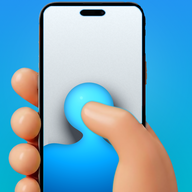
That is what Fluid Friction does. Instead of deciding whether you may open Instagram, it puts physical resistance into the scroll itself. Each swipe becomes a drag through on screen fluid. Past a threshold you set, a bubble forms under your thumb and has to rise off the screen before the feed moves at all. A fast flick bursts the bubble, and a burst never counts as a scroll.
Three things change as a result:
- There is nothing to resent. You are never locked out. Every feed you want is still there, so the app never becomes an obstacle you need to defeat.
- There is nothing to bypass. The resistance is not a gate you pass once. It is present on every swipe, so there is no single decision that ends it.
- Autopilot stops working. Absent minded input cannot clear the threshold. You can still scroll for an hour, but you cannot do it without noticing.
That last point is the whole thesis. The goal was never to make scrolling impossible. It was to make it deliberate, because almost nobody regrets the scrolling they chose. The mechanics are covered in scroll friction, explained, and the app is free in Fluid Friction on Google Play.
Friction does not remove the choice. You can push through every wave and scroll for an hour, and some evenings you will. What it removes is the invisible version of that hour, the one that ends with you not knowing where it went.
Why this is sharper on iPhone
Everything above applies on both platforms, but iOS concentrates it, because every blocker there is built on the same Apple frameworks and therefore inherits the same escape hatch.
Apple designed Screen Time for a parent managing a child's device, where the person holding the passcode and the person hitting the limit are different people. Used on yourself, both roles sit in one head, and the version of you setting the limit is calm while the version of you hitting it is not. That is why the Ignore Limit For Today button exists and why it gets pressed. The practical diagnosis is in iPhone Screen Time not working.
It also means no iPhone tool can offer the one thing that would help most, which is blocking a single feed rather than a whole app. The nearest available answer is a browser that hides the feed, covered in how to block Instagram Reels on iPhone. Fluid Friction is on the App Store under exactly those constraints, and we would rather describe them than imply we found a way around Apple's sandbox.
Friction or a hard blocker: which tool fits
Being honest about this matters more than winning the argument.
If you want a wall, get a wall. Cold Turkey and strict mode blockers exist and some people do very well with them. Friction is aimed at the much larger group who need the app for work, or for their friends, and cannot use a solution whose only setting is absence. Our comparison of free Android blockers covers which tool fits which failure.
| If you want | Use | Why |
|---|---|---|
| A wall you genuinely cannot cross | A strict mode blocker, or a supervised device | Friction is crossable on purpose |
| One deep work block per day | A focus or pomodoro timer | You need absence, not deliberation |
| To stop opening an app at all | An app level daily limit | The problem is the open, not the scroll |
| To stop losing evenings to a feed you want to keep | Friction | The problem is the swipe |
Common questions
Are there free app blockers that actually work?
Yes, if you pick the mechanism that matches how you failed before. Fluid Friction is free, with no account, and adds friction to the scroll instead of a wall you will resent. Our comparison of free Android blockers covers the alternatives and their prices.
Why do I always uninstall screen time apps?
Usually because the app blocked you at a bad moment and became something to fight rather than something you chose. Once a tool feels like an obstacle, removing it feels like winning, and that is a hard impulse to argue with at 1am.
Are app blockers useless then?
No. They work well for scheduled deep work and for apps you want gone completely. They work badly when you need the app for messaging or work, because their only real setting is absence and you will eventually need the app back.
What is the difference between friction and blocking?
A block decides whether you may open an app. Friction leaves the app open and puts resistance into the scroll itself, so every swipe costs something. There is no gate to pass and therefore no single decision that ends it.
Can I bypass scroll friction?
Yes, deliberately, by dragging through it. That is the design. What you cannot do is get past it absent mindedly, because a fast flick bursts the bubble instead of advancing the feed.
Does Fluid Friction cost money?
No. Every functional tool is free, including friction, feature blocking, scheduling and the coach. The optional Fluid Pro subscription unlocks cosmetic extras such as the full theme catalogue and dark mode.