How friction works5 min read
Scroll Friction, Explained: Resistance Instead of Rules
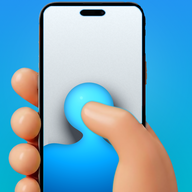
Scroll friction is resistance applied to the scroll gesture itself. Instead of deciding whether you may open an app, it makes each swipe a drag through simulated fluid: past a threshold you set, a bubble forms under your thumb and must rise off the screen before the feed moves. Fast flicks burst it and count for nothing, so absent minded scrolling stops producing scrolling.
On this page (6 sections)
Every screen time tool ever built intervenes in the same place: the door. A timer, a passcode, an interstitial, a breathing exercise, a question asking whether you meant to open this. You cross that door once per session, and then the feed gets every swipe after it for free.
Scroll friction moves the intervention to the swipe. There is no door, no rule and no permission. There is just a scroll that costs something, every single time.
How scroll friction works, precisely
Four things happen when you swipe in an app with friction enabled.
Resistance. Your finger moves and the content does not move with it. A fluid surface rises to meet the drag, and it takes real distance to build. This alone is enough to break most autopilot, because autopilot expects an immediate response and does not supply enough input to get one.
The threshold. You choose how far the drag has to go. At the low end it is a noticeable hesitation. At the high end you are dragging a meaningful fraction of the screen before anything happens.
The bubble. Past the threshold, the fluid pinches off into a bubble under your fingertip, which then rises and leaves the screen. Only when it has left does the underlying app receive the scroll. This is the part that makes the cost felt rather than merely present.
The burst. Flick fast, in the way you flick through a feed without thinking, and the bubble bursts instead of rising. A burst dispatches nothing. This is the crucial asymmetry: deliberate slow input works, and reflexive fast input does not.
That asymmetry is the entire design. The goal was never to make scrolling impossible. It was to make sure the only scrolling that happens is the kind you are present for.
Why it holds up when blocking does not
A block has one point of failure, and it is a good one to attack: the moment you decide you want it gone. At that moment the off switch is available, you are motivated, and the app has just made itself your opponent. The full version of that argument is in why app blockers don't work.
Friction has a different shape.
- There is nothing to resent. You are never denied. Every app, every feed, every message stays available, so the tool never becomes an obstacle you have to defeat.
- There is no single decision that ends it. A block is beaten once and stays beaten. Friction is present on the next swipe, and the one after that.
- It degrades gracefully. On a night when you push through everything, you scrolled deliberately for an hour. That is a normal evening, not a relapse, and nothing about it makes you uninstall the app the next morning.
The failure mode is worth stating plainly: you can always get through. Friction will not stop a decision you have actually made. It stops the thousand non decisions that make up most of a lost evening.
What it feels like in practice
Three things surprise people in the first week.
You discover how often your thumb starts before you do. The first two days are mildly irritating in a specific way: you keep finding your hand already moving. That discovery is the mechanism working.
Sessions end without a decision to end them. Nothing blocks you. You simply stop, usually several minutes earlier than before, because the loop that normally carries you was doing the carrying.
The feed you chose is unaffected. Reading a message, checking one account, looking at something you searched for: none of these involve repeated reflex swiping, so friction is barely noticeable. It bites hardest exactly where the problem is.
Where it runs: Android and iPhone
The mechanic is identical on both platforms. Where it runs is not.
On Android, the overlay uses the accessibility service to see that a scroll is happening inside a supported app and draws the fluid on top of it, so friction applies inside Instagram, TikTok and YouTube themselves. It reads UI structure only, never message contents. Twelve apps are supported, including Instagram, TikTok, YouTube, Facebook, Reddit, X, Threads, Snapchat and Pinterest, all free in Fluid Friction on Google Play, alongside feature level blocking for surfaces you would rather never open.
iOS forbids that outright. No app may draw over or modify another, which is why every iPhone blocker in this category is built on Apple's Screen Time frameworks and works at the level of whole apps. So on iPhone the friction runs inside Fluid Friction's own browser: you open the sites you want there, and the same wave, bubble and burst physics apply to the scroll, one post per deliberate drag. That also unlocks something Android does differently, which is per surface control, because a browser can hide Reels or Shorts while DMs and search keep working.
The tradeoff is honest: on iPhone friction only applies where you browse through the app, not across the whole system. What you gain is that it works at all, on a platform that was never going to permit an overlay. Fluid Friction is on the App Store.
The settings that matter
Friction is not one setting, and the defaults are deliberately mild.
| Control | What it changes | Suggested start |
|---|---|---|
| Intensity | Gentle, moderate or intense resistance | Gentle for a week, then raise it |
| Threshold | How far you drag before the bubble forms | Default, unless it feels trivial |
| Per app | Which of the supported apps get friction | Only the one that runs long |
| Schedule | Intensity by hour of day | Gentle by day, intense after 10pm |
| Session limit | Ends the session after a set number of scrolls | Off, unless you want rationing |
The schedule is the setting people undervalue. A flat setting is chosen for the average hour, which makes it too strict at lunchtime and far too soft at midnight, and the lunchtime annoyance is what gets the whole thing switched off. Why you scroll at night covers how to shape it.
Common questions
Can I turn scroll friction off?
Yes. Android lets you disable any accessibility service, and that is a platform guarantee worth keeping. Friction is also not a wall: if you want to be genuinely unable to open something, a strict mode blocker or a supervised device is the right tool instead.
What is scroll friction?
Resistance applied to the scroll gesture itself. Instead of blocking an app, it makes each swipe a drag through simulated fluid, with a bubble that must form and rise before the feed moves. Fast reflex flicks burst the bubble and move nothing.
Does scroll friction slow down my whole phone?
No. It applies only inside the apps you enable it for, and only to scroll gestures. Typing, tapping, messaging and every other app behave exactly as normal.
Can I still scroll if I want to?
Yes, deliberately. Drag past the threshold and the feed moves normally. The design goal is to remove absent minded scrolling, not to remove your ability to use the app.
Which apps support scroll friction?
On Android, twelve, including Instagram, TikTok, YouTube, Facebook, Reddit, X, Threads, Snapchat, Pinterest, LinkedIn, Bluesky and Tumblr. On iPhone the friction runs inside the app's own browser and covers Instagram, TikTok, YouTube, Reddit, X, Snapchat, Facebook and LinkedIn.
Does scroll friction work on iPhone?
Yes, with a different architecture. iOS does not allow an app to draw over other apps, so the physics runs inside Fluid Friction's own browser rather than system wide. The wave, the bubble and the burst behave identically to the Android overlay.
Is scroll friction free?
Yes. Friction, blocking, scheduling, limits and insights are free on both Android and iPhone. The optional Pro subscription unlocks cosmetic and comfort extras such as the full theme catalogue and dark mode.
Does friction fix why I reach for my phone?
No. A feed is often the answer to boredom or avoidance, and friction only removes the automatic part. The other links in the chain are covered in how to stop doomscrolling.