Choosing a tool5 min read
Free App Blockers for Android, Compared by How They Fail
There are five kinds of free app blockers for Android, and they fail in five different ways. Trackers measure but do not intervene. Hard blockers get uninstalled. Pause screens stop working once you stop reading them. Feed blockers only cover the surfaces they support. Friction is crossable on purpose. Pick by which failure you can live with.
On this page (8 sections)
Every list of free app blockers for Android is the same list in a different order, and none of them help you choose, because they compare features when the thing that decides the outcome is the mechanism.
So this compares by category and by failure mode. We build one of the tools in category five, which you should factor in, but the categories themselves are neutral and the failure modes are the ones people actually report.
Category 1: usage trackers
What they do. Measure screen time per app, show charts, sometimes set soft limits. Android's built in Digital Wellbeing is the reference example, and there are several free third party trackers with better charts.
How they fail. Awareness is not a mechanism. A number that makes you feel bad at the end of the day has no effect at the moment your thumb moves. People usually stop opening the report within two weeks.
Worth it when. You genuinely do not know where the time goes, and you need one week of data before deciding what to do. Use it as a diagnostic, not a treatment.
Watch for. Some popular free trackers are owned by mobile analytics companies. Free is a price you pay in a different currency, and it is worth knowing which one before you grant usage access.
Category 2: hard blockers
What they do. Block apps entirely, on a schedule or a daily limit. Strict modes make the block harder to lift with delays, random codes or a friend's approval.
How they fail. The block lands at a bad moment, you resent it, and the app is uninstalled that evening. This is the most common ending for this category, and it is worse than doing nothing, because people who uninstall three blockers conclude the problem is them. The mechanism behind that is in why app blockers don't work.
Worth it when. You want a scheduled deep work block, or you want an app gone completely and permanently. For absence, a hard blocker is the correct tool and nothing else beats it.
Category 3: pause screens
What they do. Insert a delay before an app opens: a breathing exercise, a countdown, a question asking whether you meant to do this, sometimes a physical task.
How they fail. Habituation. The first week the pause is information. By week three it is a doorway you walk through without reading. Some implementations also gate on exercise, which people either love or immediately turn off.
Worth it when. Your problem is opening the app reflexively rather than staying in it too long. If a session that starts always runs to forty minutes, this is aimed at the wrong link in the chain.
Category 4: feed and feature blockers
What they do. Block a surface inside an app rather than the app itself: Instagram Reels, YouTube Shorts, the TikTok For You page, Facebook Reels, Snapchat Spotlight.
How they fail. Coverage. They work on the apps and surfaces the developer has implemented, and a redesign by a platform can break detection until an update ships. Some also charge for the surfaces beyond the first one.
Worth it when. You need the app and hate one part of it, which is the most common situation of all. Specific guides: Instagram Reels, YouTube Shorts, the TikTok For You page.
Category 5: friction
What they do. Leave everything open and make the scroll itself cost effort. In Fluid Friction, each swipe becomes a drag through on screen fluid, and past a threshold you set, a bubble forms under your thumb and has to rise off the screen before the feed moves. Flick fast and the bubble bursts, which does not count as a scroll.
How they fail. You can push through. That is deliberate, and it means friction will not save you from a decision you have actually made. What it removes is the scrolling you never decided on, which for most people is the majority of it.
Worth it when. You have already uninstalled hard blockers, you need the apps for work or for people, and the failure you keep having is time you did not notice spending. Fluid Friction on Google Play is free on Android and is the only one of these we build.
How to choose in one minute
Ask what happened last time.
- Nothing happened, because you never installed anything: start with a tracker for one week.
- You blocked apps and then uninstalled the blocker: skip straight to friction.
- You tapped through every prompt without reading it: skip pause screens.
- You need one specific feed gone and the rest of the app kept: feed blocker.
- You want to genuinely not be able to open something: hard blocker, strict mode, and accept that you will occasionally be locked out at an inconvenient time.
There is no tool that beats all five failure modes. There is only the one whose failure you can live with.
Free app blockers for Android, compared on price
| Category | Intervenes at | Typical failure | Free core |
|---|---|---|---|
| Usage tracker | Nothing, after the fact | No mechanism at all | Usually yes |
| Hard blocker | App open | Uninstalled in frustration | Often partial |
| Pause screen | App open | Habituation | Often partial |
| Feed blocker | Surface open | Coverage and redesigns | Varies |
| Friction | Every swipe | Crossable on purpose | Fluid Friction: yes |
- Fluid FrictionThis guideFreeEvery blocking tool included. Optional subscription is cosmetic only.Keeps the rest of the appFriction on every swipe
- ScreenZenFreePaid extras $4.99 to $19.99Keeps the rest of the appPause before opening
- one secFree for one appPro $3.99 to $99.99Keeps the rest of the appBreath before opening
- OpalCore needs a plan$2.99 to $79.99, account requiredWhole app onlyBounces you out to Opal
- AppBlockFree for 3 appsPremium $0.99 to $119.99Keeps the rest of the appBlocks feeds on a schedule
- BrickAbout $59For the NFC device the app needsWhole app onlyTap a device to unlock
Common questions
What is the best free app blocker for Android?
It depends on how your last attempt failed. Hard blockers suit scheduled deep work, feed blockers suit apps you need but partly hate, and friction suits people who keep uninstalling blockers. A tracker alone rarely changes anything.
Are free app blockers actually free?
Three models exist: a free tier with the useful blocking paid, free funded by selling aggregate usage data, and a free functional core with paid cosmetics. Check which one you are installing before you depend on it.
Can any Android app blocker not be bypassed?
No. Android always lets you disable an accessibility service or uninstall an app, and that is a safety guarantee worth keeping. Any app claiming to be impossible to remove is overstating what the platform allows.
Does Fluid Friction charge for blocking?
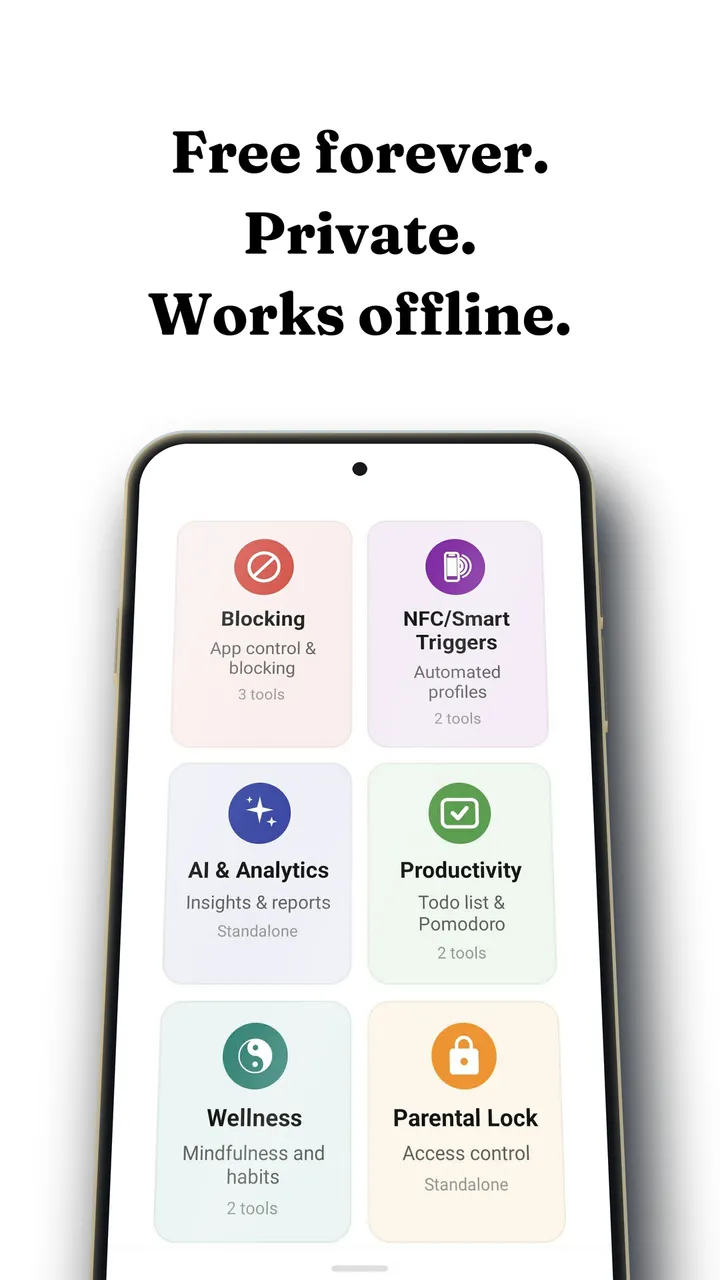
No. Scroll friction, feature blocking, app limits, scheduling, analytics and the coach are free. The optional Fluid Pro subscription unlocks cosmetic extras such as extra themes and dark mode.
Are there free app blockers for iPhone too?
Yes, but the list is flatter. Every iPhone blocker uses Apple's Screen Time frameworks, so capability is close to identical, and no iPhone app can reach a single feed inside another app except through a browser. Fluid Friction is on the App Store with the same free functional set.