Why scrolling wins4 min read
How to Stop Doomscrolling: 7 Steps That Work on Your Phone
Doomscrolling is endless scrolling you never decided to start, usually through feeds of news or short videos. To stop doomscrolling, change the phone rather than relying on willpower: silence the notifications that start it, remove the feeds you never chose, make every swipe cost a little effort, and schedule stronger limits for the hours you lose most, usually late at night.
On this page (6 sections)
You picked up your phone to check one thing. Forty minutes later you are deep in a feed of news, videos or arguments you did not go looking for, and you cannot remember deciding to keep going. That is doomscrolling, and if willpower were enough to stop it, you would have stopped already.
The good news is that doomscrolling is a mechanism, not a character flaw, and mechanisms can be changed. Here is how to stop doomscrolling in seven steps, all of them on the phone you already have, without deleting the apps you need.
How to stop doomscrolling in 7 steps
Find your doomscrolling hours
Open Screen Time on iPhone or Digital Wellbeing on Android and look at the last week by hour. Most people lose time in two or three windows, often late evening. Fix those first.
Turn off the notifications that start it
Keep messages from people. Turn off likes, suggestions, breaking news and "new posts". Most doomscrolling sessions begin with a buzz.
Make feeds harder to reach
Move feed apps off your first home screen, and charge your phone outside the bedroom. Opening a feed should take a search, not a reflex.
Remove the feed you never chose
You probably need Instagram, YouTube or TikTok for something. You do not need Reels, Shorts or For You. Block those feeds and keep the app; the guides are linked below for each app.
Make every swipe cost a little effort
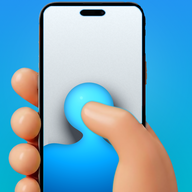
This is the step most advice skips. With scroll friction, each swipe drags through on screen fluid and the feed only moves after a small, deliberate push, so scrolling on autopilot stops working. Fluid Friction does it free on Google Play and the App Store.
Schedule it for your worst hours
Use Scheduled Blocking to close the worst app during the hours you lose, and Sleep & Alarm to keep the phone quiet from bedtime until your alarm. The rest of the day stays open.
Give those hours something else
Doomscrolling fills a gap. A book on the bedside table, a podcast, or simply putting the phone in another room gives the gap a different answer.
What doomscrolling is, and why it is so hard to stop
Doomscrolling means scrolling through an endless feed long after it stopped being useful or enjoyable, often through bad news or short videos, and usually without ever deciding to continue. Three things keep it going:
- A trigger puts the phone in your hand: a notification, a quiet moment, a 3am wake up.
- A surface that never ends: Reels, Shorts, For You and news feeds have no bottom, so nothing tells you to stop.
- A swipe that costs nothing: one thumb movement, no pause, no decision. You never choose to keep going; you just never choose to stop.
Willpower attacks the wrong link. The seven steps above change all three, and the swipe is the one that matters most, because it repeats hundreds of times a night. The mechanics of that are in why can't I stop scrolling.
How to stop doomscrolling at night
Night is when most doomscrolling happens, because there is nothing scheduled after it and self control is at its lowest. Three changes target that window:
- Charge the phone away from your bed. The most effective single change, and it costs nothing.
- Set a night lock window. Sleep & Alarm keeps feeds closed from bedtime until your alarm, so the phone stops being the easy option at midnight.
- Turn the screen grayscale in the evening. Colour is part of the pull. Android's Bedtime mode can do it on a schedule; on iPhone, a Shortcuts automation can, or Fluid Friction's Grayscale switch for each app in its browser.
The full version is in how to stop scrolling at night.
How to stop doomscrolling on each app
The feed that eats your evening is usually one specific surface in one app. These guides remove just that part:
- Instagram: stop scrolling Instagram, block Reels on Android or on iPhone.
- TikTok: stop scrolling TikTok.
- YouTube: block Shorts and turn off recommendations.
- Reddit: stop doomscrolling Reddit.
- X and news: get rid of For You on X.
- Facebook: block Facebook Reels.
If you want to compare tools first, see apps to stop doomscrolling.
What sounds right and mostly does not work
None of these are useless, but each fails on its own, because it addresses awareness or absence rather than the swipe itself.
| Tactic | Why it appeals | What actually happens |
|---|---|---|
| Deleting the app | Total, decisive | Reinstalled within days, and you lost the messages too |
| A daily limit you set yourself | Feels like a commitment | One tap to ignore; see why app blockers don't work |
| Grayscale all day | Removes visual reward | Works for a week, then you stop noticing it |
| Screen time reports | Awareness feels like progress | A number at the end of the day changes nothing in the moment |
| A digital detox weekend | A clean reset | Monday looks exactly like before |
Common questions
What is doomscrolling?
Doomscrolling is scrolling through an endless feed, often of bad news or short videos, long after it stopped being useful, usually without ever deciding to continue. It is driven by feeds with no end and a swipe that costs nothing, not by a lack of willpower.
Is there an app to stop doomscrolling?
Yes. Fluid Friction blocks feeds like Reels, Shorts and For You and adds friction to every swipe, so scrolling only happens on purpose. It is free on iPhone and Android with no account. Other options are compared in our guide to apps that stop doomscrolling.
How do I stop doomscrolling at night?
Charge your phone away from your bed, set a night lock window that keeps feeds closed until morning, and switch the screen to grayscale in the evening. Night is when most doomscrolling happens, so that is where changes pay off most.
How long does it take to stop doomscrolling?
Most people notice a difference within a week of changing their phone setup. The first two days feel odd, because you keep noticing your thumb moving before you decided anything. That noticing is the habit breaking.
Is doomscrolling a sign of something more serious?
Often it is just a habit built by the design of the feed. If scrolling is tied to low mood, anxiety or sleep problems that do not lift, talking to a doctor or counsellor will help more than any app.
Can I stop doomscrolling without deleting apps?
Yes. Block the feeds you never chose, keep the parts you use such as messages, and add friction to the scrolling that remains. That keeps the app useful while removing what makes it endless.