Choosing a tool4 min read
Looking for a one sec Alternative? Read the Mechanism First
one sec puts a breathing pause between your tap and the app opening, which works beautifully for a few weeks and then quietly stops. The pause becomes part of the ritual rather than an interruption to it. Picking a one sec alternative is really about picking a different mechanism, because anything that intervenes at the door will wear off in the same way.
On this page (5 sections)
one sec did something clever. Instead of blocking an app, it inserts a short breathing pause between your tap and the app opening, then asks whether you still want to continue. A meaningful share of the time, you do not.
It works. The reason people search for a one sec alternative is not that it fails on day one. It is that it stops working around week three, and the reason it stops is structural rather than a flaw anyone could patch.
Why the breathing pause wears off
Three things happen, usually in this order.
The pause becomes the ritual. You tap Instagram, you breathe, you enter. After a couple of weeks the breath is no longer an interruption to the habit, it is the first step of the habit. Habit research is fairly consistent here: a cue that reliably precedes a reward stops being friction and starts being anticipation.
It only fires once. The pause guards the door. Cross it, and every swipe afterwards is free. If your problem is that a five minute check turns into forty, a door based tool did not touch the thing that went wrong.
The exit is trivial. The continue button is right there, and it has to be, because a tool that refuses would be a blocker. That is the trade one sec chose deliberately, and it is why nobody resents the app. It is also why it fades.
None of this makes one sec a bad product. It makes it a product with a defined half life, and the search you are running is what happens at the end of it.
What friction changes about the timing
We build a friction tool, so treat this as interested. The mechanical difference is the reason it does not decay the way a pause does.
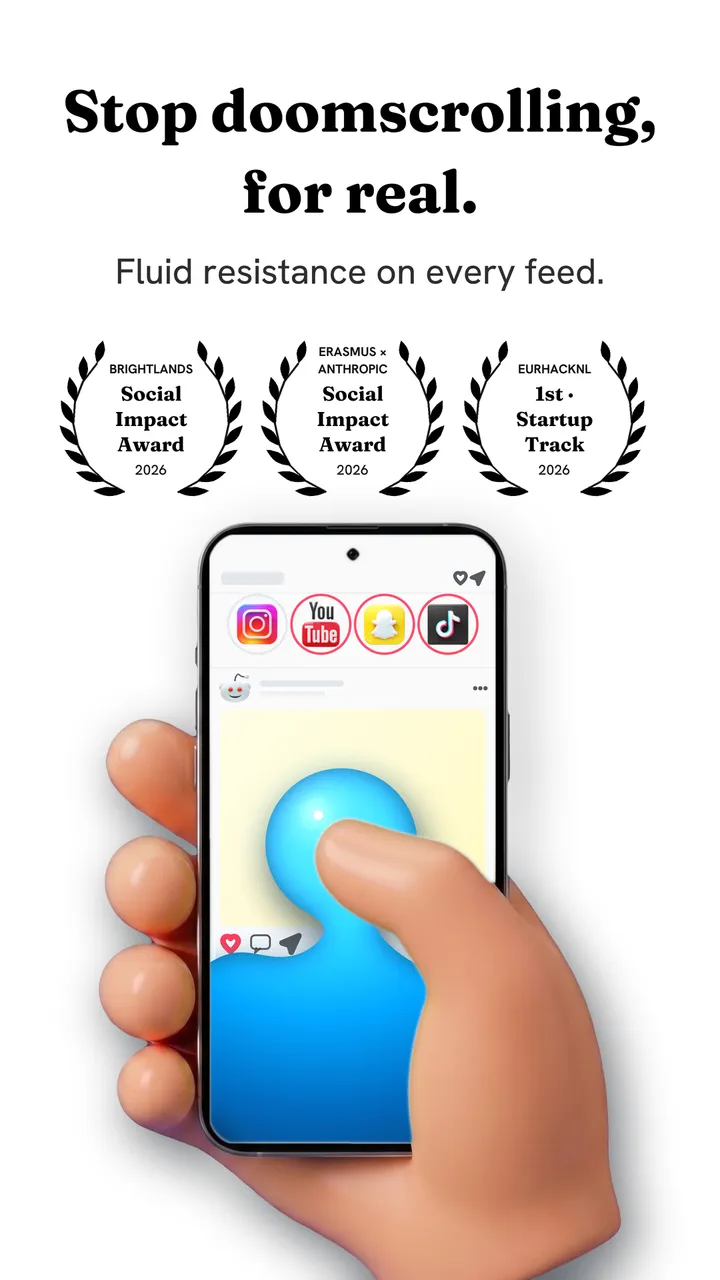
A pause intervenes once, before the session. Friction intervenes inside every swipe. Each scroll becomes a drag through on screen fluid, and past a threshold you set, a bubble forms under your thumb and has to rise off the screen before the feed moves. A fast flick bursts the bubble instead, and a burst advances nothing.
Because the resistance is attached to the gesture rather than the doorway, it cannot be absorbed into an entry ritual. There is no moment at which you have paid the cost and are through. There is also no moment where you are locked out, which is why there is nothing to resent and no single toggle that ends it.
The honest limitation: if you want to scroll and you are willing to work for it, friction lets you. It converts unconscious scrolling into deliberate scrolling. For most people that removes the majority of it, but it is a different promise from a wall, and you should know which one you are buying. That distinction is the whole subject of friction versus blocking.
Fluid Friction is free on Google Play and on the App Store, with no account. On Android it also blocks single feeds like Reels inside the real app; on iPhone it does that through its own browser.
What to use as a one sec alternative, by what went wrong
If the pause stopped registering, but you liked not being blocked. You want friction rather than a wall. Something that resists continuously instead of asking once.
If you tapped continue every time. You want an actual block, with a passcode held by someone else. Be honest about this. A gentler tool will not help somebody who has already demonstrated they will click through anything.
If the problem is one feed rather than one app. You want per surface control: Reels gone but DMs kept, Shorts gone but subscriptions kept. On iPhone that can only be done through a browser, which is covered in how to block Instagram Reels on iPhone.
If the problem is a particular time of day. You want schedules rather than prompts. Gentle at lunch, strict after 10pm, because a flat setting is wrong at both ends of the day. Why you scroll at night covers why the evening is a different problem from the morning.
one sec alternatives, compared on mechanism and price
Almost every tool in this category is one of these, whatever the marketing says.
| Mechanism | Examples | Fails when |
|---|---|---|
| The pause | one sec, ScreenZen, Intent | You stop noticing the pause |
| The wall | Opal, Jomo, Apple Screen Time, Cold Turkey | You need the app and tap past it once |
| The friction | Fluid Friction | You genuinely want to scroll, which it permits |
The useful question is not which product is better. It is which of these three failure modes you can live with, because you will meet one of them.
- Fluid FrictionThis guideFreeEvery blocking tool included. Optional subscription is cosmetic only.Keeps the rest of the appFriction on every swipe
- ScreenZenFreePaid extras $4.99 to $19.99Keeps the rest of the appPause before opening
- one secFree for one appPro $3.99 to $99.99Keeps the rest of the appBreath before opening
- OpalCore needs a plan$2.99 to $79.99, account requiredWhole app onlyBounces you out to Opal
- AppBlockFree for 3 appsPremium $0.99 to $119.99Keeps the rest of the appBlocks feeds on a schedule
- BrickAbout $59For the NFC device the app needsWhole app onlyTap a device to unlock
Common questions
Why did one sec stop working for me?
Because the pause happens once, at the door, and your brain absorbs it into the habit. After a few weeks the breath becomes the first step of opening the app rather than an interruption to it, and the continue button is always available by design.
What is the closest free alternative to one sec?
ScreenZen offers a similar pause model with a generous free tier. If the pause itself is what stopped working, a closer match to your problem is a friction tool or a scheduled block, since both intervene at a different point.
Is friction better than a breathing pause?
It is different rather than strictly better. A pause asks once per session, friction resists on every swipe, so friction cannot be absorbed into an entry ritual. If you want to be stopped entirely, neither is right and you want a hard block.
Does one sec work on Android?
Yes, though it was built iPhone first and the category as a whole leans that way. Android's accessibility service allows things iOS forbids, so Android tools can reach individual feeds inside apps rather than only whole apps.
What should I use if I tap through everything?
A real block with a passcode held by somebody else. If you have already shown you will dismiss any prompt you control, a gentler mechanism will not change that, and it is worth choosing accordingly rather than trying a third pause app.
Does Fluid Friction work on iPhone and Android?
Yes. On iPhone it blocks apps through Apple's Screen Time frameworks and adds friction and per surface controls in its own browser. On Android, feature blocking reaches Reels or Shorts inside the real apps. The functional tools are free on both.
How long should I try a new tool before judging it?
Three weeks. Every tool in this category works in week one, because novelty does the work. Week three is the honest test, and it is exactly where the pause model runs into trouble.