How friction works5 min read
Friction vs Blocking: Which One Actually Suits Your Problem
Every screen time tool is either a wall or a resistance. Blocking stops you at the door and fails at the moment you genuinely need the app. Friction leaves the door open and makes each swipe cost enough to notice, which means it never locks you out and never fully stops you either. The friction vs blocking choice is really a choice about which failure you can live with.
On this page (6 sections)
Every app in this category is one of two things, whatever the marketing calls it. It either stops you from reaching something, or it makes reaching it cost more than it did before.
Those are not two flavours of the same idea. They fail in opposite ways, and picking the wrong one is the reason most people are on their third screen time app. Blocking is a promise that you will not be able to. Friction is a promise that you will notice. The friction vs blocking question is worth answering before you install anything else.
What blocking actually is
A block is a wall between you and a thing, plus a rule about when the wall is there.
Apple's Screen Time, Opal, Jomo, Cold Turkey and Android's Digital Wellbeing all work this way. So does Fluid Friction's own blocking mode, because blocking is the right answer to some problems and pretending otherwise would be dishonest.
Blocking is at its best when three conditions hold.
- The window is predictable. Work hours, exam season, the hours you should be asleep.
- You do not need the app during it. If you might, the wall is a landmine.
- Someone else holds the key. A passcode you set yourself is a suggestion with extra steps.
Meet all three and blocking is excellent. Miss any one and it turns into the familiar cycle: block, hit the wall at a bad moment, bypass, stop believing in it, uninstall.
What friction actually is
Friction leaves the wall out and raises the price of the action instead.
The design principle is old and boring, which is a compliment. Behavioural work on choice architecture has consistently found that small changes in effort shift behaviour more reliably than large changes in motivation. Putting the biscuits in a cupboard rather than on the counter does more than resolving to eat fewer biscuits.
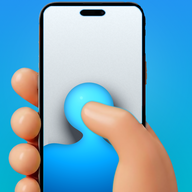
Applied to a phone, the target is the swipe. A thumb flick is close to free, which is exactly why scrolling never registers as a decision. Scroll friction makes each swipe a drag through on screen fluid, and past a threshold you set, a bubble forms under your thumb and has to rise off the screen before the feed advances. Flick fast and the bubble bursts, and a burst advances nothing.
The result is that you can still scroll, deliberately, and largely stop scrolling by accident. The mechanics are covered in how scroll friction works.
The timing difference nobody mentions
Blocking and pausing both intervene once, at the entrance. Friction intervenes continuously, inside the behaviour.
That single structural difference explains a pattern people report constantly: they successfully reduce how often they open an app, and their total screen time barely moves. Entry side tools change the number of sessions. They do nothing about session length, and session length is where the hours actually are.
It also explains why pause based tools decay. A prompt that happens once per session gets absorbed into the ritual of opening the app within a few weeks, at which point it is part of the habit rather than an interruption to it. That is the subject of what to use instead of one sec. Friction cannot be absorbed the same way, because there is no single moment at which you have paid and are through.
Choosing in the friction vs blocking split, honestly
Answer one question: do you want to be stopped, or do you want to stop doing something on autopilot?
If you want to be stopped, use blocking, use the strictest version you can find, and give the passcode to another person. Do not buy a friction tool and hope it becomes a wall. It will not, by design, and you will be annoyed.
If you want your scrolling to become deliberate, use friction. You will still scroll sometimes. What disappears is the twenty five minutes you cannot account for afterwards.
If the answer is both, that is normal and both is available. Block the app during the hours you should be asleep, and run friction the rest of the time. A schedule that is strict at 11pm and gentle at lunch survives far longer than a flat rule at either setting, which is the argument in why you scroll at night.
Fluid Friction ships both mechanisms for that reason. On Android, feature blocking can close a single surface inside a real app, so Reels can be blocked while Instagram keeps working, and friction runs on whatever is left. It is free on Google Play. On iPhone, blocking runs through Apple's Screen Time frameworks and per surface control happens in the app's own browser, which is how Reels can be hidden on iPhone. It is on the App Store. The functional set is free on both.
Friction vs blocking, compared on how they fail
This is the part that should drive your choice, because both do fail.
Blocking fails loudly and permanently. One badly timed wall and the app is gone from your phone by the weekend. That failure mode is the subject of why app blockers don't work.
Friction fails quietly and recoverably. On a bad evening you push through and scroll anyway. Nothing is broken, nothing is resented, and the tool is still there tomorrow. It is a weaker guarantee and a much more durable one.
| Blocking | Friction | |
|---|---|---|
| Fails when | You need the app during the block | You genuinely want to scroll |
| What failure looks like | Bypass, then uninstall | You scroll anyway, more slowly |
| Recovery after failure | Poor, trust is gone | Fine, nothing broke |
| Emotional response | Resentment | Mild irritation at most |
| Suits | A protected window | A scattered habit |
| Bad fit for | An app you need unpredictably | Someone who wants to be stopped |
Common questions
Is friction better than blocking?
Neither is better in general. Blocking is stronger and fails badly when you need the app during a block. Friction is weaker and fails gently, since the worst outcome is that you scroll anyway. Pick by which failure you can live with.
Can you use both at the same time?
Yes, and most people should. A common setup is blocking during sleeping hours or work hours, with friction running the rest of the time, so protection is strict when the window is predictable and gentle when it is not.
Why do blocked apps get unblocked so often?
Because the block eventually arrives at a moment when the app was genuinely needed. That bypass costs nothing technically and a great deal in trust, and most uninstalls in this category happen within days of that first bypass.
Does friction actually reduce screen time?
It reduces the unconscious part, which for most people is the majority. Deliberate use remains possible by design, so friction shortens sessions rather than preventing them, and total time falls as a consequence rather than as a hard limit.
Which one works better long term?
Friction tends to survive longer, because nothing about it produces resentment and there is no single moment of failure that ends the relationship. Blocking often delivers stronger results for a shorter period before being removed entirely.